

Social Proof for eCommerce: How to Build Trust and Increase Online Store Conversions
Social Proof for eCommerce: How to Build Trust and Increase Online Store Conversions
 fizfy
fizfy
A website can get plenty of traffic. It can still struggle to turn visitors into buyers. Someone lands on a product page, scrolls, and hesitates. Then they leave without buying anything. This gap between visits and purchases is often a trust problem, not a traffic problem.
Social proof is one of the most useful ways to close that gap. It shows shoppers that real people have already bought from, used, or trusted a store. As a result, the next decision can feel easier.
Quick Answer: What Is Social Proof for eCommerce?
The Social proof for eCommerce is the use of customer activity, purchases, feedback, testimonials, and reviews to help shoppers feel more sure about buying. It works by showing new visitors what other customers have already done. This can lower hesitation during the buying process.
Key takeaways:
- Social proof can help reduce doubt during online shopping.
- Recent purchase activity can show that other shoppers trust a store.
- Sales counts can show purchase activity over a set period.
- Testimonials and feedback can give shoppers a customer view of a store.
- Social proof should be accurate and match what the shopper is viewing.
- Shopify and WooCommerce stores can use dedicated tools to show these signals.
What Is Social Proof in eCommerce?
Social proof is a simple pattern in human behavior. People often look at what others are doing before they decide what to do. Online, this shows up as reviews, star ratings, purchase counts, and activity alerts.
For an online store, social proof turns hidden customer behavior into something visitors can actually see. For example, a shopper who is unsure about a product may feel better after seeing that other people just bought the same item.
This idea isn’t new, either. Researchers have studied social influence for decades. In fact, the Nielsen Norman Group has written at length about how social proof shapes online behavior and website design.
Why Social Proof Matters for Online Stores
Online shoppers can’t touch a product. They also can’t talk to a salesperson or see who else is shopping nearby. This missing context creates doubt, and doubt tends to slow down or stop a sale.
Social proof helps fill that gap. It gives shoppers quiet proof that a store is active, real, and worth trusting.
This matters most at moments of hesitation, such as:
- A first-time visitor trying to decide if a new store is trustworthy.
- A shopper comparing two similar products.
- Someone with a full cart who hasn’t checked out yet.
At each of these points, a small trust signal can support the next step. It won’t fix a broken product page or a confusing checkout. However, it can remove one more reason to hesitate.
7 Types of Social Proof eCommerce Stores Can Use
Social proof isn’t just one tactic. Different formats work at different points in the shopping journey. Here are seven common types online stores use.
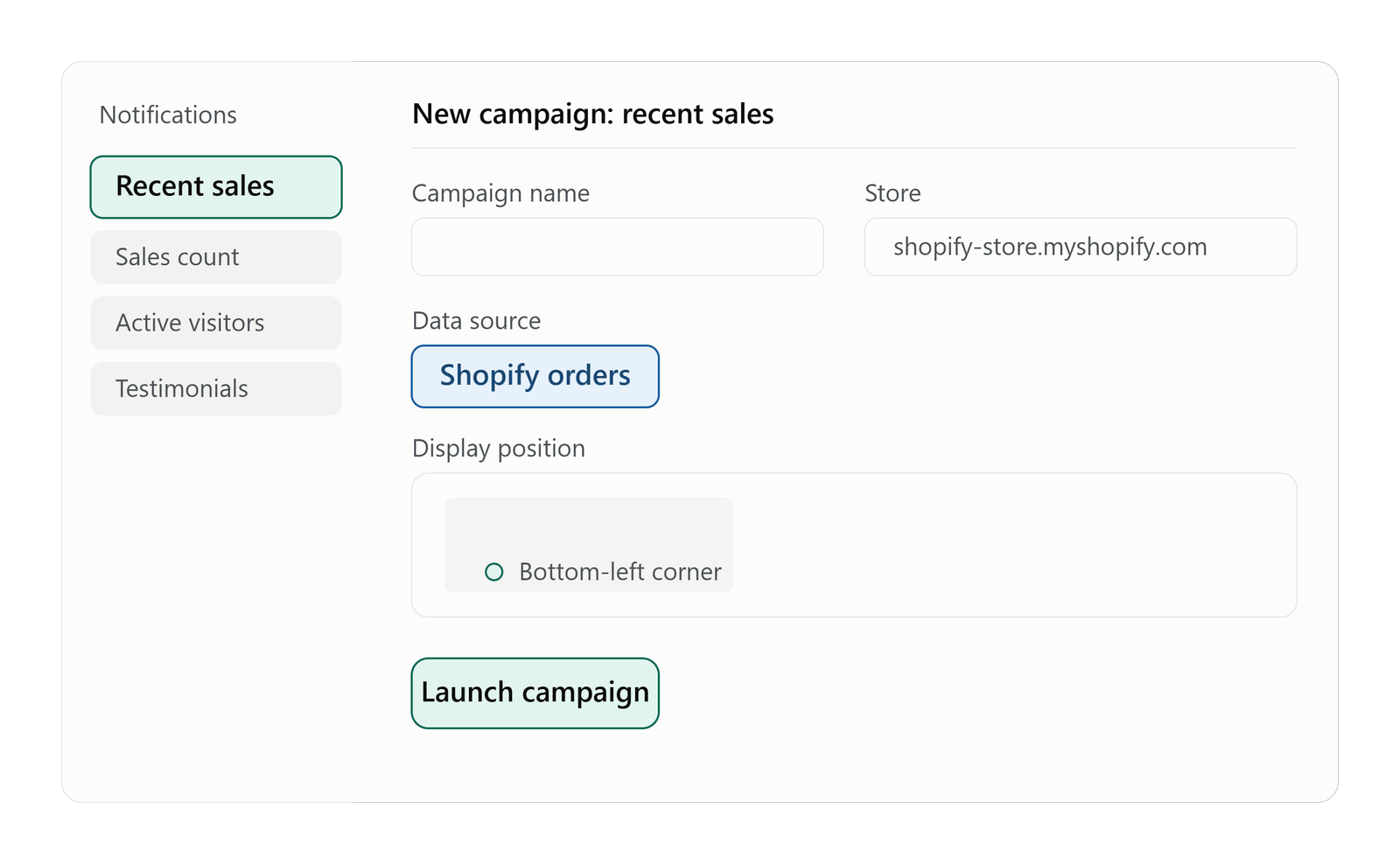
1. Recent Sales
Recent sales notifications show that a specific product was just bought. They often include a rough location or timestamp. These notifications work well on product and collection pages, where a shopper is deciding what to buy.
2. Sales Counts
A sales count shows how many units of a product have sold over a set time, such as “orders this week.” Unlike a recent sale alert, a sales count shows volume instead of one single order.
3. Active Visitors
Active visitor notifications show how many people are viewing a page right now. This can point to strong demand, especially for popular items or during a sale event.
4. Customer Feedback
Feedback widgets collect quick reactions from visitors, such as emoji ratings or short comments. Beyond trust, this feedback can also give a store useful insight into what shoppers actually think.
5. Testimonials
Testimonials share direct quotes or short stories from past customers. They tend to work well near pricing details or on landing pages, where a shopper wants reassurance before buying.
6. Recent Activity
Recent activity notifications show general engagement, not just purchases. This can include sign-ups, downloads, or bookings. This format suits stores that sell services or digital products alongside physical goods.
7. Reviews and User-Generated Content
Star ratings, written reviews, and customer photos remain some of the most trusted forms of social proof. Unlike a pop-up alert, reviews stay on a product page for good. So, shoppers can reference them anytime.
| Strategy | Best For | Example |
|---|---|---|
| Recent Sales | eCommerce | Shows a specific recent purchase |
| Sales Count | eCommerce | Shows total purchase activity over time |
| Active Visitors | eCommerce, SaaS | Shows current visitors on a page |
| Testimonials | Trust building | Highlights customer feedback |
| Reviews | Product pages | Shows ratings and written feedback |
Social Proof Examples for Shopify Stores
Shopify stores often rely on product and collection pages to drive purchase decisions. This makes them a strong fit for social proof notifications.
For example, a Shopify skincare store could show a recent sale alert on a product page when a shopper in another city buys the same item. A store running a flash sale could also pair that with a sales count, showing how many units sold that day.
Active visitor counts can work well on Shopify collection pages too, especially during high-traffic periods like a seasonal sale. This can add a demand signal without misleading anyone.
Social Proof Examples for WooCommerce Stores
WooCommerce stores run on WordPress. As a result, they often have more freedom in where notifications can appear, including blog posts and content-driven landing pages.
For instance, a WooCommerce furniture store could show recent activity alerts on category pages. This tells shoppers that others recently added items to their cart. A subscription-based WooCommerce store, on the other hand, might highlight recent sign-ups instead, since that better fits its business model.
Either way, the notification should match what the store actually sells and how customers actually buy.
How Social Proof Notifications Work
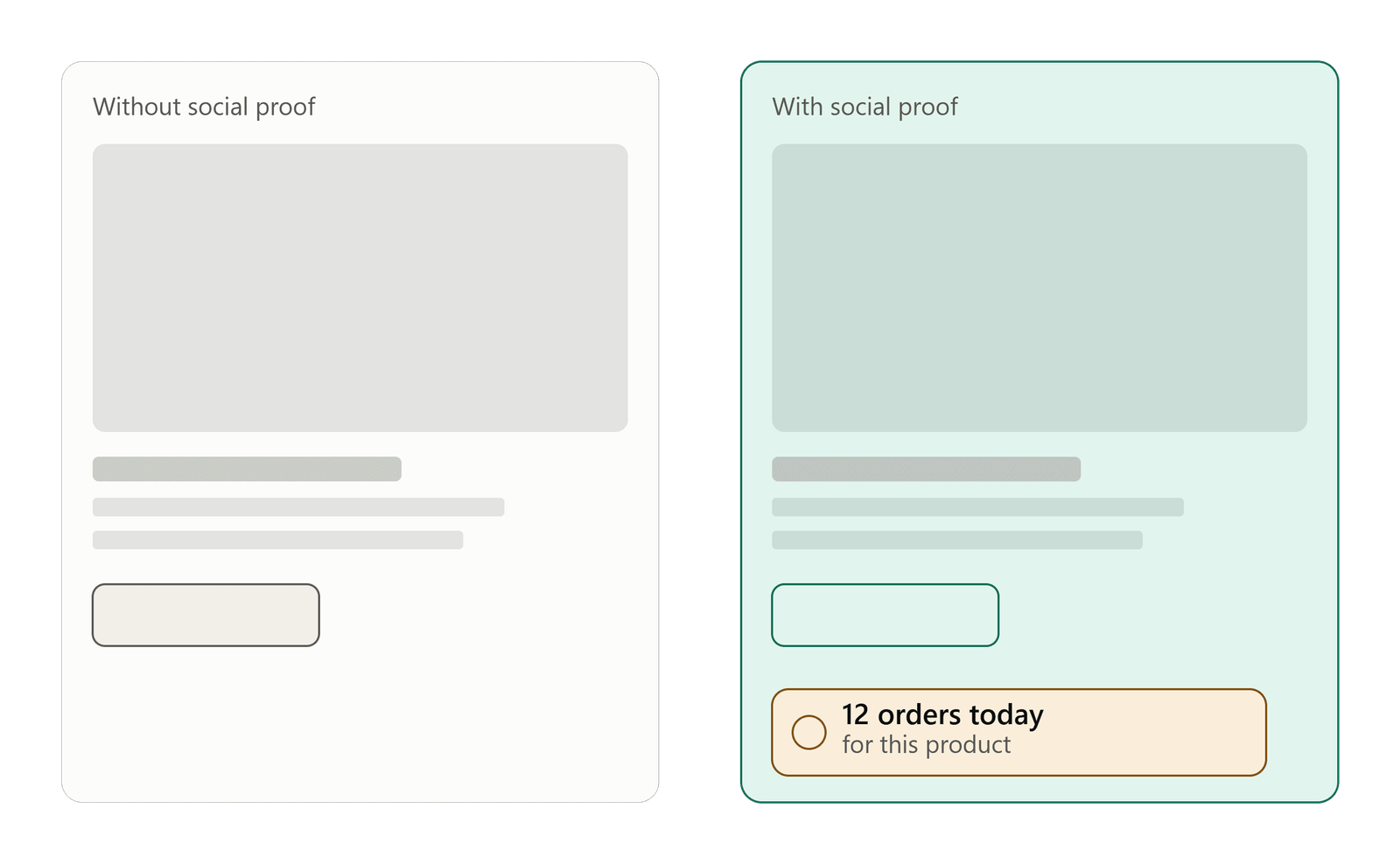
Most social proof tools follow a similar setup process. First, a small piece of code, often called a pixel or tracking snippet, gets added to a website. That code then connects to a dashboard, where a business builds and customizes notification campaigns.
Once a campaign goes live, the notification pulls data from a connected source, such as order data from a store’s checkout system. It then shows that activity to visitors in real time or close to it. The business controls the notification type, its placement, and how long each one displays.
Because of this setup, accuracy depends heavily on the data source. A notification tied to real order data reflects real customer behavior. One built from made-up or random data does not.
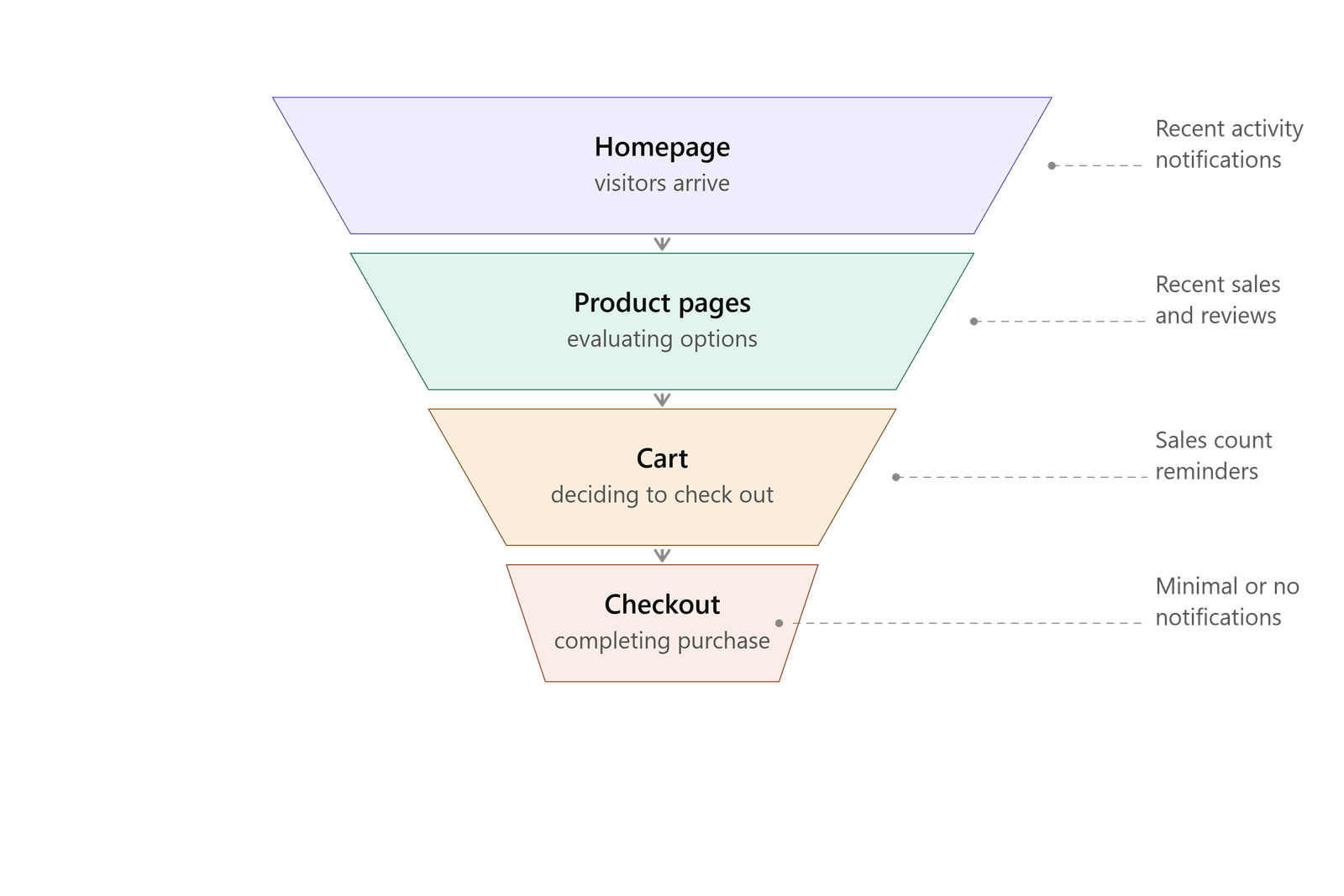
Where Should You Display Social Proof on an Online Store?
Placement affects how useful a notification really is. A trust signal shown at the wrong moment can feel out of place or even annoying.
- Homepage: General activity alerts can show that the store is active and trusted.
- Product pages: Recent sales and reviews work well here, right where the buying decision happens.
- Collection pages: Sales counts or active visitor alerts can highlight popular items.
- Cart: A gentle reminder of recent purchases can support a shopper who is close to buying.
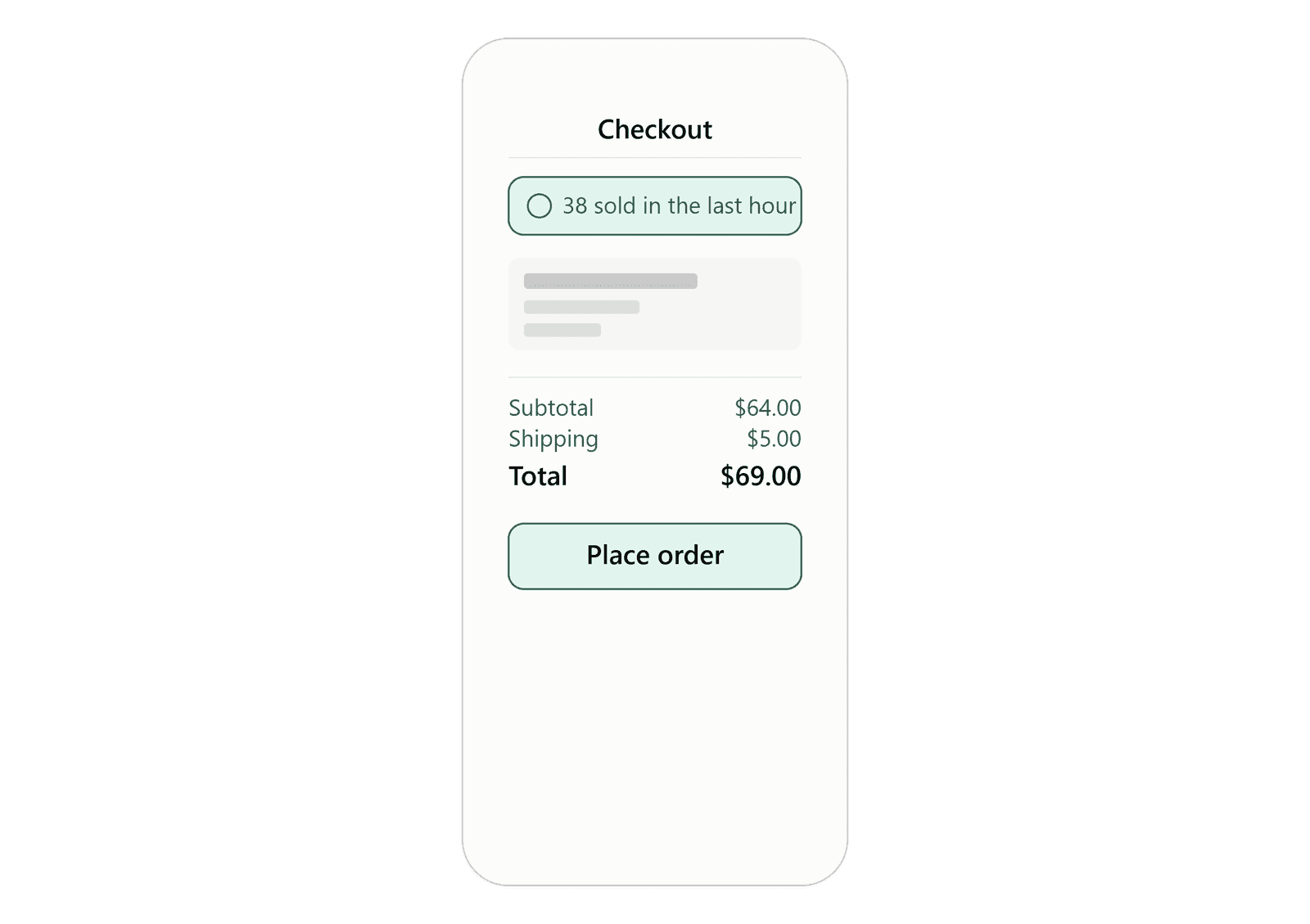
- Checkout: Notifications should stay minimal here, so they don’t distract from the final steps.
- Landing pages: Testimonials tend to perform well on pages built around a single offer.
That said, not every page needs a notification. Overusing them can clutter the experience and reduce their impact.
How to Use Social Proof Without Hurting Customer Trust
This is the part many stores get wrong. Social proof only works because it reflects something real. Once a shopper suspects a notification isn’t genuine, it stops building trust. Instead, it starts to damage it.
A few principles matter here:
- Notifications should be accurate and based on real customer activity.
- They should be relevant to the page and product a shopper is viewing.
- The message should be easy to understand at a glance.
- Nothing should suggest false urgency or made-up demand.
This is one reason real order data matters so much. Instead of relying on random or invented activity, a store can connect a notification tool directly to actual Shopify or WooCommerce order data. That way, what visitors see reflects what actually happened. In short, this approach keeps social proof honest, which is what makes it work.
How to Add Social Proof to Your eCommerce Store
Adding social proof usually comes down to three steps: picking the right notification types, connecting them to real store data, and placing them where shoppers make decisions. The exact setup varies slightly by platform.
Shopify
Shopify stores typically add a notification tool by inserting a small code snippet, sometimes called a pixel, into the site’s theme code. Once that pixel is in place, campaigns can be built in a dashboard. From there, they connect to store activity, such as checkout and order events, so notifications reflect real purchases.
WooCommerce
WooCommerce stores run on WordPress. So, a dedicated WordPress plugin is often the simplest way to add a notification tool. After installing the plugin and adding the tracking code, a store can then configure which notifications appear and where.
Other Websites
Not every store runs on Shopify or WooCommerce, of course. Many notification platforms also support a broader pixel-based, or code-snippet, integration. This works on other website builders and custom-built sites, as long as the platform allows a small script in the site’s header.
Fizfy for eCommerce Social Proof
Fizfy is a social proof notification software built around this exact idea. It helps websites display real customer activity to support trust and conversions.
What Fizfy Offers
The platform offers more than 43 notification types and widgets. These cover formats like recent sales, sales count, active visitors, recent activity, feedback collection, and testimonials. Store owners can also customize how each notification looks and where it appears on the site.
How Fizfy Connects to Store Data
Fizfy connects to Shopify stores through a pixel added to the store’s theme. This allows recent sales and cart activity to display based on real order data, not manually created content. WordPress and WooCommerce stores, meanwhile, can use Fizfy’s plugin along with a tracking snippet to run the same kind of campaigns.
Beyond eCommerce-specific alerts, Fizfy also includes tools for collecting visitor feedback and displaying testimonials. The dashboard includes basic notification performance tracking, too. Businesses that want to see how the setup works can explore Fizfy’s notification options or start a free trial to test a campaign on their own store first.
Of course, Fizfy isn’t the only social proof option out there, and it may not fit every store. So, businesses evaluating social proof software should look for a platform that supports their specific eCommerce platform. It should also offer the notification types they actually need, and make it easy to connect real order data instead of fabricated activity.
Practical Tips for Getting Social Proof Right
A few habits separate social proof that helps from social proof that gets ignored, or worse, distrusted.
- Start small. Test one or two notification types before adding several at once.
- Match notifications to intent. Recent sales fit product pages well; testimonials fit landing pages.
- Watch notification frequency. Too many pop-ups can hurt the experience instead of helping it.
- Review the data source often. Confirm notifications still reflect current, accurate activity.
- Combine with other trust signals. Social proof works best alongside clear shipping policies, secure checkout badges, and quick customer support.
Common Mistakes to Avoid
Even well-meant social proof can backfire. A few mistakes come up often:
- Showing fake or exaggerated activity that doesn’t reflect real customers.
- Displaying too many notifications at once, which can overwhelm visitors.
- Using the same notification type on every page, regardless of context.
- Ignoring mobile design, where cluttered pop-ups feel even more intrusive.
- Never checking performance to see which notifications actually help.
How to Measure Whether Social Proof Is Working
Social proof should be treated like any other conversion tactic. In other words, test it and measure it, rather than assume it works.
Useful metrics to watch include the conversion rate on pages with notifications, the click-through rate on the notifications themselves, and overall engagement or bounce behavior. Many stores also run simple A/B tests. This means comparing a page with notifications turned on against one without, to see if the difference matters for their specific audience.
Results can vary by industry, price point, and audience. So, it’s worth testing on your own store rather than assuming results from one business will match another.
Social Proof FAQs for eCommerce
What is social proof in eCommerce?
Social proof in eCommerce means showing real customer activity, such as purchases, reviews, or feedback, to help new visitors feel more sure about buying.
How does social proof increase online sales?
It can lower doubt during the buying process. It does this by showing that other shoppers have already bought or engaged with a product, which may support the final decision.
What are examples of social proof for an online store?
Common examples include recent sales alerts, sales counts, active visitor counts, customer reviews, testimonials, and recent activity notices.
Does social proof work for Shopify stores?
Yes. Shopify stores can add social proof notifications through a pixel or code snippet connected to real order and checkout data.
How can I add social proof to WooCommerce?
WooCommerce stores can typically use a WordPress plugin along with a tracking snippet. This displays notifications based on real store activity.
What are recent sales notifications?
Recent sales notifications show that a specific product was just bought, often with a general location or timestamp, to show current buying activity.
What are active visitor notifications?
Active visitor notifications show how many people are currently viewing a page or product, which can point to demand.
Should an online store use sales notifications?
Sales notifications can help many stores. However, they should reflect real data and stay relevant to the page. They aren’t a substitute for good product pages or clear pricing.
Where should social proof notifications appear?
Product pages, collection pages, and landing pages tend to work best. Checkout pages should stay minimal, so they don’t distract shoppers during the final steps.
Can social proof notifications improve conversions?
Yes, social proof notifications can support conversion efforts when used accurately. This works best when they’re placed where shoppers are actively deciding, though results vary by store and audience.
What is the best social proof software for eCommerce?
The right choice depends on the platform a store runs on, the notification types it needs, and whether the tool can connect to real order data. Tools like Fizfy offer a range of eCommerce-focused notification types built around this need.
Final Thoughts
Social proof isn’t a shortcut around a weak product page or a confusing checkout. Instead, it’s a supporting tool that lets real customer activity do some of the persuading for you.
Used accurately, recent sales, sales counts, active visitor counts, testimonials, and reviews can each help hesitant shoppers feel more confident. Used carelessly, or with fake data, they can do the opposite.
So, for Shopify and WooCommerce store owners exploring this strategy, the starting point is simple. Pick one or two notification types, connect them to real store data, and place them where shoppers are actually making decisions. From there, testing and measuring results will show what actually moves the needle for your store.