

How to Increase Ecommerce Sales Without Increasing Website Traffic: 10 Conversion Strategies
How to Increase Ecommerce Sales Without Increasing Website Traffic: 10 Conversion Strategies
 fizfy
fizfy
Your traffic numbers look fine. Your sales numbers don’t. If that gap sounds familiar, you’re not alone.
Many store owners assume the fix is more visitors. More ads, more SEO, more social posts. But if only 1% of visitors buy, doubling traffic just gets you twice as many people who leave without buying.
The faster, cheaper fix is usually conversion rate optimization (CRO): improving your existing pages so more of the people already on your site decide to buy.
Quick answer: You can increase ecommerce sales without more traffic by improving product pages, simplifying checkout, strengthening your calls-to-action, building trust with reviews and social proof, and fixing friction points visitors are already hitting. Below are 10 practical strategies you can start today.
Why More Website Traffic Doesn’t Always Mean More Sales
Traffic and sales are related, but they’re not the same problem. A store can rank well, run good ads, and still convert poorly.
This usually comes down to one of a few things:
- Visitors don’t trust the store enough to enter payment details.
- Product pages don’t answer basic questions (size, shipping, returns).
- The checkout process has too many steps or surprise costs.
- Nothing on the page tells a hesitant visitor, “other people already bought this.”
If your traffic is decent but sales are flat, the leak is probably somewhere in this list. Fixing it is often faster and cheaper than acquiring new visitors.
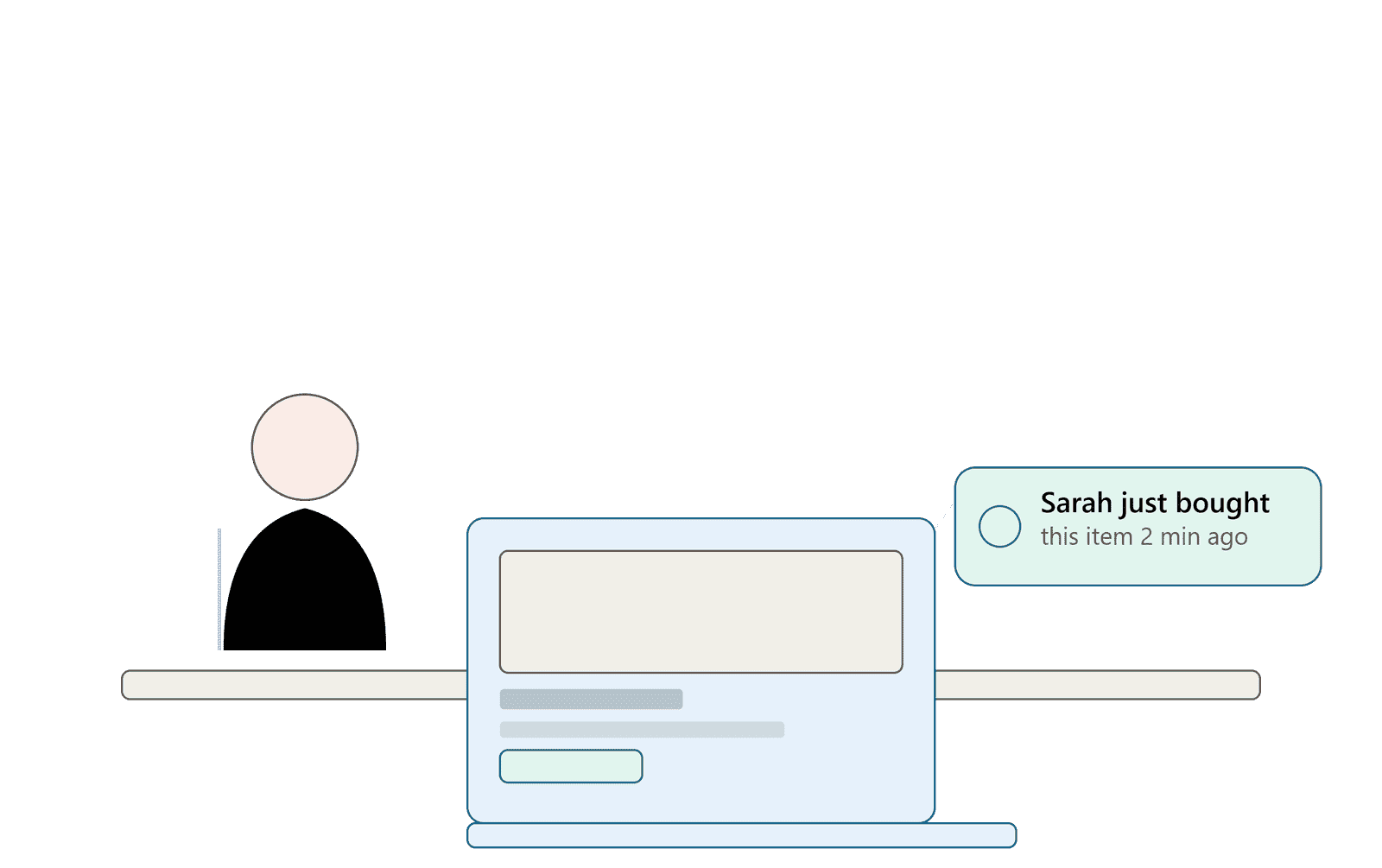
Calculate Your Ecommerce Conversion Rate
Before changing anything, know your starting point. Your ecommerce conversion rate is the percentage of visitors who complete a purchase.
Formula: Conversion rate = (Total orders ÷ Total visitors) × 100
For example, 5,000 monthly visitors and 75 orders gives you a 1.5% conversion rate. Google Analytics can track this automatically once ecommerce tracking is set up.
Once you know your baseline, you can measure whether each change below actually helps. Without a baseline, you’re just guessing.
Improve Your Product Pages
Your product page does the selling when you’re not there to answer questions. Weak product pages are one of the most common reasons visitors leave without buying.
Focus on:
- Clear, honest product photos from multiple angles, including scale or context shots.
- Specific descriptions that answer real questions (material, sizing, compatibility) instead of generic marketing language.
- Visible shipping and return information near the buy button, not buried in a policy page.
- Fast-loading pages, since slow load times increase bounce rates on both desktop and mobile.
A shopper who has to hunt for shipping cost or return policy details often leaves instead of asking.
Make Your Call-to-Action More Effective
A call-to-action (CTA) tells the visitor exactly what to do next. Weak or vague CTAs quietly cost stores sales every day.
Compare these two buttons: “Submit” versus “Add to Cart – Ships Today.” The second one is specific. It sets an expectation and removes hesitation.
Effective CTAs are usually:
- Specific about the action (“Get 20% Off” beats “Click Here”).
- Visible above the fold on mobile, not just desktop.
- Consistent in color and placement across the site, so visitors always know where to look.
Small CTA wording changes can meaningfully shift conversions. Test different phrasing before assuming your current button is the best option.
Build Trust With Customer Reviews and Testimonials
Online shoppers can’t touch or try your product before buying. Reviews and testimonials fill that gap by showing what past buyers experienced.
Nielsen Norman Group’s research on user experience has long shown that people rely heavily on other users’ opinions when they can’t evaluate a product firsthand. Reviews reduce that uncertainty.
A useful review section includes:
- A star rating visible near the product title.
- A mix of written reviews, including ones that mention specific details (fit, durability, use case).
- Photos or videos submitted by real customers, when available.
Only display feedback customers actually submitted. Fabricated reviews damage trust the moment a buyer notices something feels off, and misleading testimonials can also create legal and platform-policy risk.
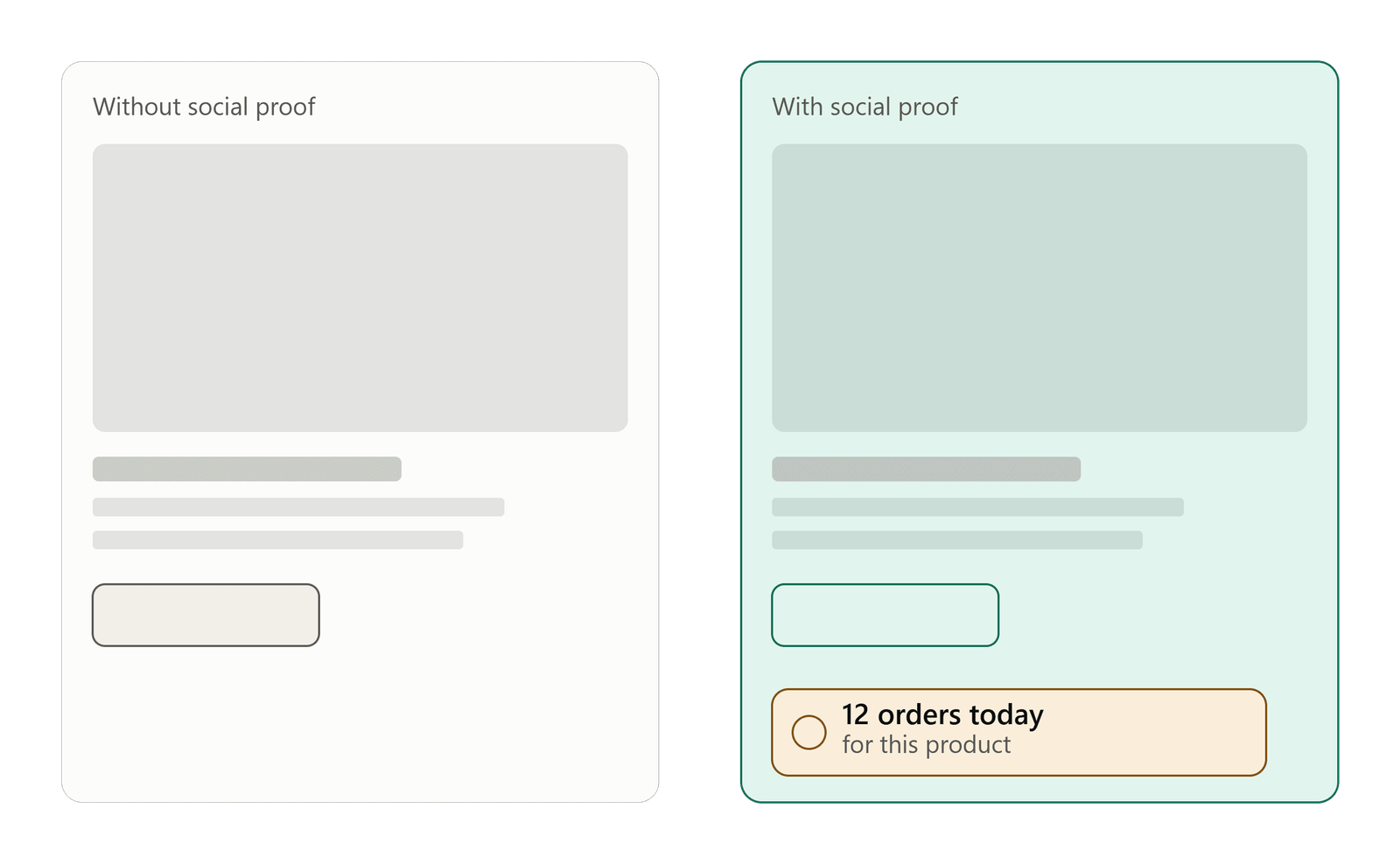
Use Social Proof to Reduce Purchase Hesitation
Reviews are one form of social proof, but they’re static. They sit on the page whether or not anyone reads them. Social proof notifications work differently. They show live or recent activity as visitors browse, which can catch attention reviews sometimes miss.
Social proof vs. testimonials: A testimonial is a written statement a customer chose to leave. A social proof notification is a small popup showing behavior, like a recent purchase or how many people are currently viewing a page. Both build trust, but notifications feel more immediate because they reflect what’s happening right now.
| Approach | Best For | Example |
|---|---|---|
| Recent Sales | Ecommerce | Shows a recent purchase as it happens |
| Active Visitors | Ecommerce, SaaS | Shows how many people are browsing now |
| Sales Count | Ecommerce | Shows total sales, bookings, or downloads |
| Testimonials | Trust building | Highlights written customer feedback |
Software like Fizfy, a social proof notification tool, is built specifically to display this kind of activity on a website through customizable widgets.
Show Recent Sales and Real-Time Activity
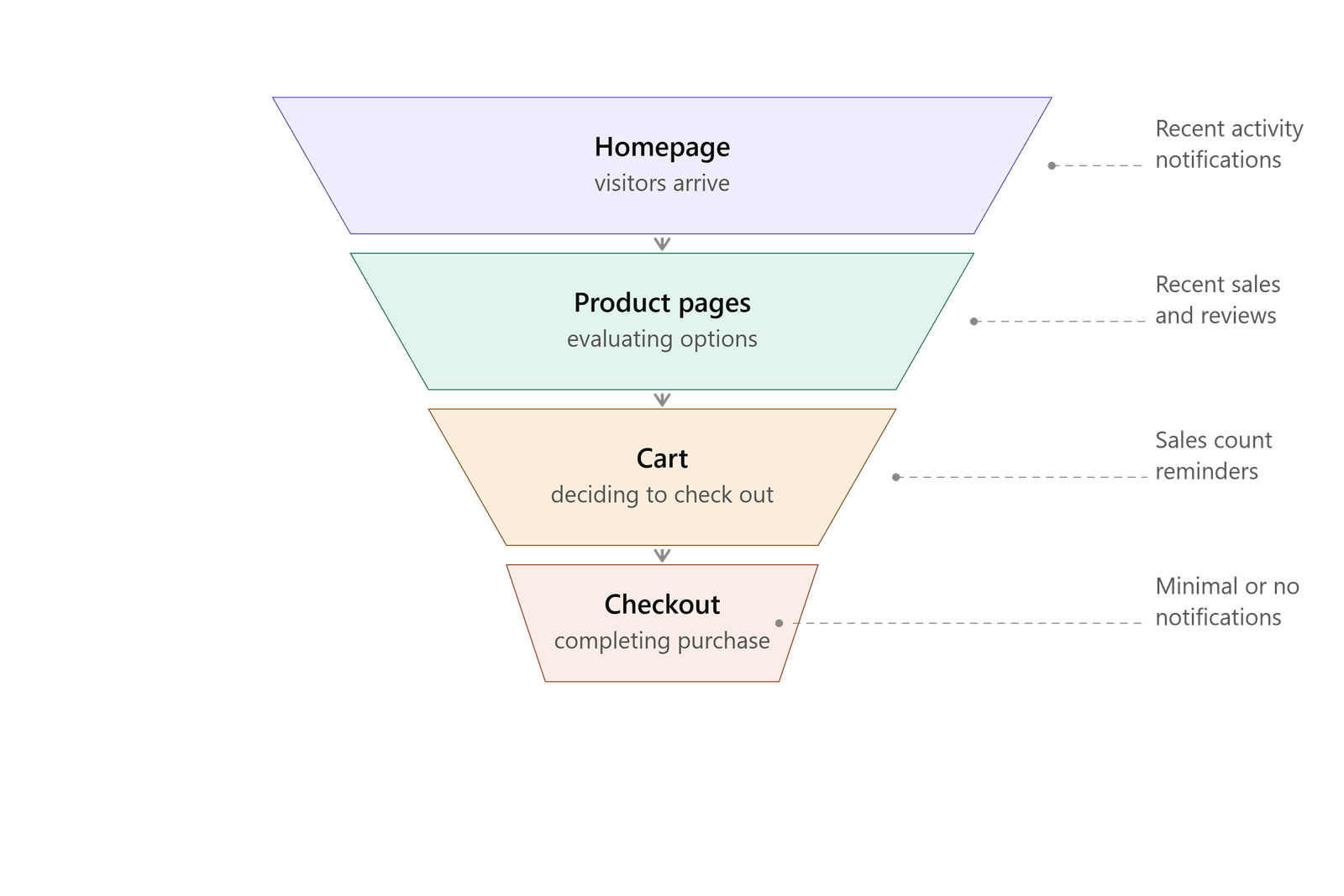
A recent sales notification is a small popup that appears when someone completes a purchase, something like “Someone in Austin just bought the blue jacket.” It’s a simple idea, but it works because it answers an unspoken question: “Do other people actually buy from this store?”
This matters most for newer stores or stores without much review volume yet. A first-time visitor has no history with your brand. Seeing a recent, specific purchase gives them a small, real signal that the store is active and trustworthy.
Fizfy officially supports this as a Recent Activity and Recent Sales notification type, letting store owners display purchase activity as it happens on their site.
When it works well: Stores with steady order volume, where notifications reflect genuine, ongoing activity.
When to be careful: If your store gets very few orders, frequent notifications can look forced rather than authentic. In that case, focus on other trust signals first, like detailed reviews, until sales activity picks up.
Create a Sense of Demand With Sales Counts and Active Visitors
Beyond individual purchases, showing overall demand can influence buying decisions. This is closely related to the psychological idea of social validation: people feel more confident acting when they see others already have.
Two notification types cover this:
- Sales count: Displays a running total, such as “1,200 sold this month.” This works well for products with genuine repeat demand.
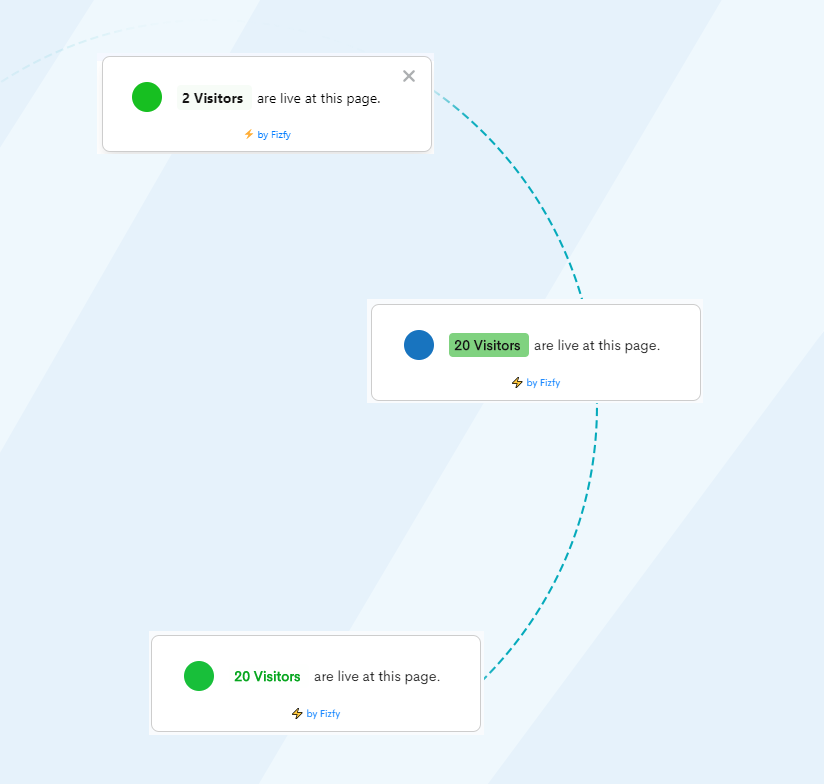
- Active visitors: Shows how many people are currently browsing a page, which can create light urgency without an artificial countdown timer.
Fizfy lists both Sales Count and Active Visitors among its supported notification types for ecommerce and SaaS websites.
Use these thoughtfully. A sales count of “3 sold” doesn’t build confidence the way “3,000 sold” does. If your numbers are low, a different strategy, like testimonials, may serve you better until volume grows.
Make the Checkout Process Easier
Cart abandonment is one of the most expensive conversion problems in ecommerce. Many shoppers add items to their cart and never finish the purchase.
Common checkout friction points include:
- Forced account creation before checkout. Offer a guest checkout option.
- Surprise costs at the final step, like shipping fees or taxes not shown earlier.
- Too many form fields. Ask only for what you need to fulfill the order.
- Limited payment options. Some shoppers will abandon a cart if their preferred payment method isn’t available.
Shopify’s own guidance on checkout and WooCommerce’s documentation both emphasize reducing steps and clarifying costs early. Fewer clicks between “Add to Cart” and “Order Confirmed” generally means fewer abandoned purchases.
Use Customer Feedback to Find Conversion Problems
Sometimes the fastest way to find a conversion problem is to ask the people experiencing it. Feedback collection tools let visitors tell you directly what’s confusing, missing, or frustrating on your site.
This could mean:
- A short on-page survey asking why a visitor didn’t complete checkout.
- A quick feedback widget after purchase asking what almost stopped them from buying.
- Post-purchase emails asking about the shopping experience.
Fizfy includes a Feedback Collector notification type, which lets site owners gather this kind of input directly on the website rather than relying only on email surveys.
Feedback won’t fix itself. Someone on your team needs to review responses regularly and act on patterns, not just individual comments.
Test Different Conversion Strategies
Not every strategy above will have the same impact on every store. A/B testing lets you compare two versions of a page, button, or message to see which one performs better with real visitors.
A simple testing approach:
- Pick one variable to test (headline, CTA color, product photo order).
- Split traffic evenly between the original and the variant.
- Run the test long enough to reach a meaningful sample size.
- Measure the result against your conversion rate baseline.
Google’s guidance on experimentation and general CRO best practices both stress testing one variable at a time. Changing five things at once makes it impossible to know which change actually helped.
How Fizfy Helps Ecommerce Stores Turn More Visitors Into Customers
Several of the strategies above rely on showing genuine visitor activity, something Fizfy is built to do. Fizfy is a social proof notification platform that displays real user activity on a website to influence visitor behavior and support conversions.
Store owners can use Fizfy to:
- Display recent sales as they happen.
- Show a sales count for products or the overall store.
- Display active visitor counts in real time.
- Collect on-site feedback from visitors.
- Highlight customer testimonials as rotating notifications.
Fizfy currently offers 43+ notification types and widgets, and it connects to websites through a pixel or code snippet, with support for platforms including Shopify and WooCommerce. Store owners who want specifics on setup, supported platforms, or current plans can review the Fizfy pricing page or explore the available notification widget types directly.
None of this replaces good product pages, clear CTAs, or an easy checkout. It works alongside them, adding a visible trust signal to a page that’s already doing the rest of the job well.
Common Mistakes to Avoid
A few mistakes show up repeatedly when stores try to boost conversions quickly:
- Faking activity. Fabricated sale counts or fake testimonials erode trust the moment a visitor suspects they’re not real, and can violate advertising standards.
- Changing too much at once. Redesigning checkout, product pages, and CTAs simultaneously makes it impossible to know what worked.
- Ignoring mobile visitors. Many ecommerce stores see the majority of traffic from phones. A CTA that works on desktop can be nearly invisible on mobile.
- Creating fake urgency. Countdown timers that reset or “only 1 left” messages that never run out damage credibility over time.
Responsible social proof means showing what’s actually true. Real recent sales, real visitor counts, and real reviews build more lasting trust than exaggerated claims ever will.
Practical Tips for Getting Started
If you’re not sure where to begin, start with the changes that require the least development work:
- Add a clear return and shipping policy near the buy button.
- Rewrite your top three product page descriptions to answer real customer questions.
- Add one social proof element, like a recent sales notification, to your homepage or product pages.
- Review your checkout for unnecessary form fields.
- Set up a simple feedback prompt for visitors who don’t complete checkout.
Then measure your conversion rate again after 30 days to see what moved the needle.
Frequently Asked Questions
What is social proof software? Social proof software displays real visitor activity, like recent purchases or active visitor counts, on a website. The goal is to show new visitors that others already trust and use the site.
How do social proof notifications work? A notification widget displays a small popup or bar showing activity, such as a recent sale or the number of people currently viewing a page. It updates based on actual site activity.
Do social proof notifications increase conversions? They’re designed to reduce hesitation by showing genuine visitor and customer activity. Results vary by store, product, and how the notifications are used, so testing on your own site is the best way to measure impact.
What is the difference between social proof and testimonials? Testimonials are written statements customers choose to leave, usually displayed as static text. Social proof notifications show real-time or recent activity, like a purchase or visitor count, in a more dynamic format.
How can ecommerce stores use social proof? Common uses include recent sales popups, sales count displays, active visitor counters, and rotating customer testimonials on product and checkout pages.
How can Shopify stores use social proof notifications? Shopify stores typically add a notification widget through a pixel or code snippet, then customize which activity (recent sales, visitor counts, reviews) displays on which pages.
How do I add social proof notifications to my website? Most platforms, including Fizfy, use a pixel or embed code that you add to your site, then configure through a dashboard to choose notification types, design, and display rules.
Final Thought
More traffic can help, but it’s not the only lever available. Improving what happens after a visitor lands on your site often produces faster, cheaper results.
Start with your conversion rate baseline, fix the biggest friction points first, and add trust signals like reviews and real-time social proof where they make sense. If you want to see how notification widgets like recent sales, sales counts, and active visitors could fit into your store, you can explore Fizfy’s notification types or start with a free trial to test them on your own traffic.