
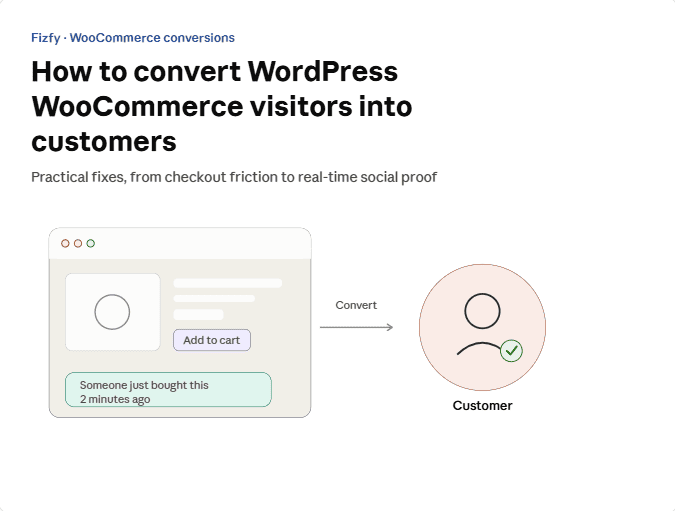
How to Convert WordPress Woo Commerce Visitors into Customers?
 fizfy
fizfy
Your WooCommerce store gets traffic. People land on product pages, scroll a little, and leave without buying. That gap between visits and sales is one of the most common problems in ecommerce, and it usually has less to do with your products than with what happens in those first few seconds on the page.
Quick answer: To convert more WooCommerce visitors into customers, fix friction in your checkout flow, speed up your pages, write product pages that answer real buyer questions, and add trust signals like reviews and real-time activity notifications. None of these fixes alone will double your sales. Together, they close the gap between “just looking” and “just bought.”
This guide walks through the specific levers that move WooCommerce conversion rates, with practical examples you can apply today.
Why WooCommerce Stores Struggle With Conversions
Most WooCommerce sites are built for functionality first. The default checkout works, the product grid works, and the theme looks fine. But “works” and “converts” are different goals.
A visitor arriving from a Google search or a social ad has no history with your brand. They do not know if your shipping is reliable, if past customers were happy, or if the store is even active. Every bit of that uncertainty adds friction. Reducing that friction is the core job of conversion rate optimization, often shortened to CRO. CRO is the process of improving a website so more visitors take a desired action, such as completing a purchase.
The good news: WooCommerce gives you a flexible base to fix these issues without rebuilding your store from scratch.
How Visitors Actually Decide to Buy
Understanding the buyer’s path helps you know where to focus first.
The Trust Gap
New visitors judge your store fast. Slow load times, generic stock photos, and an empty reviews section all signal risk. Nielsen Norman Group’s research on ecommerce usability has repeatedly found that shoppers scan for credibility cues before they read product details closely.
The Decision Fatigue Problem
Too many product variants, unclear pricing, or a cluttered layout can stall a buyer who was ready to purchase. Simplifying the path from product page to checkout usually helps more than adding extra options.
The Cart Abandonment Moment
Most abandoned carts happen at checkout, not on the product page. Unexpected shipping costs, forced account creation, and too many form fields are common culprits.
Core Strategies to Improve WooCommerce Conversions
Below are the areas that consistently affect WooCommerce conversion rates, based on standard ecommerce and CRO practice.
Speed Up Your Store
Page speed affects both search rankings and conversions. Compress images, use a caching plugin, and pick a hosting plan built for WooCommerce traffic. Google’s guidance on page experience explains why load time matters for both users and search visibility.
Simplify Checkout
Every extra field or click adds a chance for a visitor to give up. Consider:
- Offering guest checkout
- Showing shipping costs early, not at the last step
- Reducing form fields to the essentials
- Displaying accepted payment methods clearly

Write Product Pages That Answer Questions
A strong product page reads like a helpful salesperson, not a spec sheet. Include real dimensions, honest limitations, and clear answers to common objections. Photos from multiple angles help buyers picture the product in real use.
Use Clear, Honest Trust Signals
Trust signals close the gap between interest and purchase. This includes verified reviews, clear return policies, secure checkout badges, and visible customer activity.
This is where social proof becomes useful. Social proof is the psychological pattern where people look at what others are doing to decide their own next step. On a WooCommerce store, that might mean showing that other shoppers recently bought the same item, left a rating, or are currently browsing.
Social Proof vs. Static Reviews: What’s the Difference?
Both build trust, but they work differently.
| Approach | What It Shows | Best Use Case |
|---|---|---|
| Static reviews | Past customer feedback on a product page | Long-term trust building, SEO-rich content |
| Real-time social proof notifications | Live or recent activity, like a recent purchase | Creating momentum during active browsing |
| Sales count | Total units sold or bookings made | Popular product validation |
| Active visitor count | Number of people viewing a page right now | Urgency for in-demand items |
Static reviews are read once and then archived. Real-time notifications appear while a visitor is actively deciding, which is often the moment they need reassurance most.

Practical Examples of Social Proof on WooCommerce
Here is how different WooCommerce store types might apply this in practice:
- A clothing store could show a small notification when someone in another city recently bought the same jacket.
- A supplement brand could display a running sales count on its bestselling product.
- A digital course seller on WooCommerce could show recent enrollments.
- A furniture store could highlight the number of visitors currently viewing a popular sofa.
These are illustrative examples of common social proof use cases, not confirmed results from any specific business.
Common Mistakes That Hurt WooCommerce Conversions
Even well-meaning store owners run into the same traps.
Faking or Exaggerating Activity
Never display fake purchases, invented customer counts, or misleading notifications. Beyond the ethical problem, misleading claims can violate advertising regulations and damage trust once discovered. Any activity notification should reflect something that genuinely happened.
Overloading the Page With Popups
One well-placed notification helps. Five competing popups at once just adds clutter and can hurt page speed and mobile usability.
Ignoring Mobile Shoppers
Many WooCommerce visitors browse on phones. Test every trust element, notification, and checkout step on a real mobile device before launch.
Skipping A/B Testing
Assuming a change will help is risky. A/B testing lets you compare two versions of a page and measure which one actually converts better before rolling it out fully.
How to Implement These Changes on WooCommerce
- Audit your current funnel. Use Google Analytics or WooCommerce’s built-in reports to find where visitors drop off.
- Fix the biggest leak first. If most drop-off happens at checkout, start there instead of the homepage.
- Add trust signals gradually. Introduce reviews, then test a recent-activity notification, then measure the impact of each separately.
- Test on mobile. Confirm every new element loads fast and displays correctly on smaller screens.
- Track results over time. Watch conversion rate, cart abandonment rate, and average order value, not just total sales.
How Fizfy Can Help With Social Proof on WooCommerce
Once the core funnel issues are addressed, real-time social proof notifications can add another layer of trust for undecided visitors. Fizfy is a social proof notification tool that displays visitor and customer activity on a website to influence buying decisions.
For a WooCommerce store, this typically works through a lightweight pixel code snippet added to the site, or through the Fizfy WordPress plugin, which connects your store to your Fizfy notification campaigns.
Fizfy offers more than 40 notification types, including formats relevant to WooCommerce stores such as recent sales notifications, sales count widgets, and active visitor counters. The platform also supports customer review and testimonial widgets for stores that want to highlight feedback alongside activity notifications.
None of this replaces the fundamentals covered above. A fast, well-written store with a smooth checkout will always outperform a slow one, no matter how many notifications you add. Social proof notifications work best as a layer on top of a store that already does the basics well.
If you want to see what’s available before committing, Fizfy’s pricing page and feature list outline the current plans and widget options, and the site offers a free trial to test notifications on your own store.

Best Practices for Ongoing Improvement
- Review your analytics monthly, not just after big campaigns.
- Keep notifications accurate. Turn off a campaign if the underlying activity slows down, rather than letting stale data show.
- Pair social proof with clear product content. Trust signals support a good page; they do not fix a confusing one.
- Test one change at a time so you know what actually moved the needle.
- Revisit your checkout flow whenever you add new payment methods or shipping options, since new friction can appear quietly.
Frequently Asked Questions
What is the fastest way to improve WooCommerce conversions? Start with checkout friction and page speed. These two areas usually cause the most drop-off and are often quicker to fix than a full site redesign.
Do social proof notifications actually increase conversions? They can support conversions by adding real-time trust signals during the browsing and decision stage, especially when the underlying activity is genuine and relevant to the visitor. Results vary by store, audience, and how the notifications are used.
What is the difference between social proof and testimonials? Testimonials are written statements from past customers, usually static and reviewed occasionally. Social proof is a broader category that includes testimonials plus real-time signals like recent sales, active visitor counts, and live activity.
How do I add social proof notifications to a WooCommerce site? Most social proof tools, including Fizfy, use a pixel code snippet added to your site’s header, or a dedicated WordPress plugin that connects your store data to your notification campaigns.
Is it okay to show a sales count if my product is new? Only display counts that reflect real, current data. If a product has very few sales so far, consider using a different notification type, such as an active visitor counter or a testimonial, until sales activity builds up.
Do I need coding skills to set up WooCommerce social proof notifications? Generally no. Most setups involve pasting a code snippet into your site’s header or installing a plugin, both of which are standard WordPress tasks that don’t require custom development.
Explore Fizfy’s WordPress plugin page to see how social proof notifications connect to a WooCommerce store, or review the pricing plans to compare options for your store size.