

Traffic but No Sales? How to Improve Your Shopify Store
 fizfy
fizfy
Your Shopify dashboard shows steady visits. Your orders page barely moves. That gap between traffic and sales is one of the most common — and most frustrating — problems in ecommerce.
The good news: it’s rarely a mystery once you know where to look. Most stores lose sales at a handful of predictable points: unclear value, slow pages, weak trust signals, or a checkout that asks too much. Fix those, and traffic starts turning into revenue.
Quick answer: If your Shopify store gets traffic but few sales, the issue usually falls into one of five buckets — page speed, product page clarity, trust and social proof, checkout friction, or mismatched traffic quality. Diagnose each one with your analytics, then fix the biggest leak first.
Why Traffic Doesn’t Automatically Mean Sales
Visitors and buyers are not the same audience. A visitor might be a first-time shopper comparing prices, someone who clicked an ad by accident, or a returning customer who forgot their cart. Each one needs a different signal to convert.
Shopify’s average store conversion rate sits in the low single digits, so most visitors were never going to buy on the first visit. The real question is whether your store gives the ready buyers enough reason to act. If your product pages, trust signals, or checkout create doubt, even motivated shoppers will leave.
Conversion rate optimization, often called CRO, is the practice of finding and fixing those doubt points. It doesn’t require more traffic. It requires a store that makes the next step obvious and safe.
The Most Common Reasons Shopify Stores Struggle to Convert
Before adding new tools or campaigns, rule out the basics. These issues show up across almost every underperforming store.
Slow Load Times
A slow product or checkout page costs sales before a visitor even sees your offer. Google’s own research has linked longer load times directly to higher bounce rates on mobile, and Shopify shoppers behave the same way. Test your store with PageSpeed Insights and trim heavy apps, oversized images, and unused theme scripts.
Weak or Confusing Product Pages
A product page has one job: answer the buyer’s remaining questions. If shipping cost, sizing, materials, or return policy are unclear, shoppers leave to check elsewhere — and many don’t come back.
- Show real product photos from multiple angles
- Answer shipping and return questions on the page itself
- Keep the “Add to Cart” button visible without scrolling
Low Trust for New Visitors
First-time visitors have no history with your brand. They’re deciding whether your store is legitimate before they decide whether they want the product. Missing reviews, no visible contact information, or a generic-looking checkout all raise doubt.
Checkout Friction
Every extra field, forced account creation, or surprise shipping cost at checkout gives a shopper a reason to abandon the cart. The Baymard Institute has tracked cart abandonment research for years, and unexpected costs remain one of the top reasons shoppers leave without buying.

Mismatched Traffic
Not all traffic is created equal. A spike in visits from a broad social ad or an unrelated keyword can inflate your numbers without adding buyers. Compare conversion rate by traffic source in Shopify Analytics — a channel with high visits and near-zero sales usually needs a different offer, not more spend.
How to Diagnose the Real Problem
Guessing wastes time. Use your existing data first.
| Signal to Check | What It Tells You |
|---|---|
| Bounce rate by page | Where visitors leave without engaging |
| Add-to-cart rate | Whether product pages are convincing |
| Cart abandonment rate | Whether checkout is the leak |
| Conversion rate by traffic source | Whether you’re attracting the right audience |
| Mobile vs. desktop conversion | Whether mobile experience is the gap |
Shopify Analytics and Google Analytics both surface these numbers. Look for the single biggest drop-off point in your funnel and start there instead of changing everything at once.
Strategies That Actually Move Conversion Rates
Once you know where visitors stall, apply the fix that matches the problem.
Simplify the Path to Purchase
Reduce the number of clicks between “interested” and “checked out.” Sticky add-to-cart buttons, a visible cart icon, and a guest checkout option all remove small friction points that add up.
Strengthen Product Page Content
Rewrite product descriptions around the buyer’s questions, not just features. Add size guides, care instructions, and honest delivery windows. Clarity reduces hesitation more than clever copy does.
Build Visible Trust Signals
New visitors look for proof that other people have bought from you and been satisfied. This is where social proof plays a direct role in conversion. Genuine customer reviews, visible order activity, and transparent policies all signal that your store is real and reliable.
Test Before You Commit
A/B testing lets you compare two versions of a page — a headline, a checkout layout, a price display — and measure which one converts better with real visitors instead of assumptions. Even small stores can test one change at a time using Shopify theme duplicates.
Match Offers to Traffic Intent
A cold social ad visitor and a returning email subscriber are at different stages of the customer journey. Landing pages, discounts, and messaging should reflect that instead of sending every visitor to the same generic homepage.
Social Proof: A Practical Example
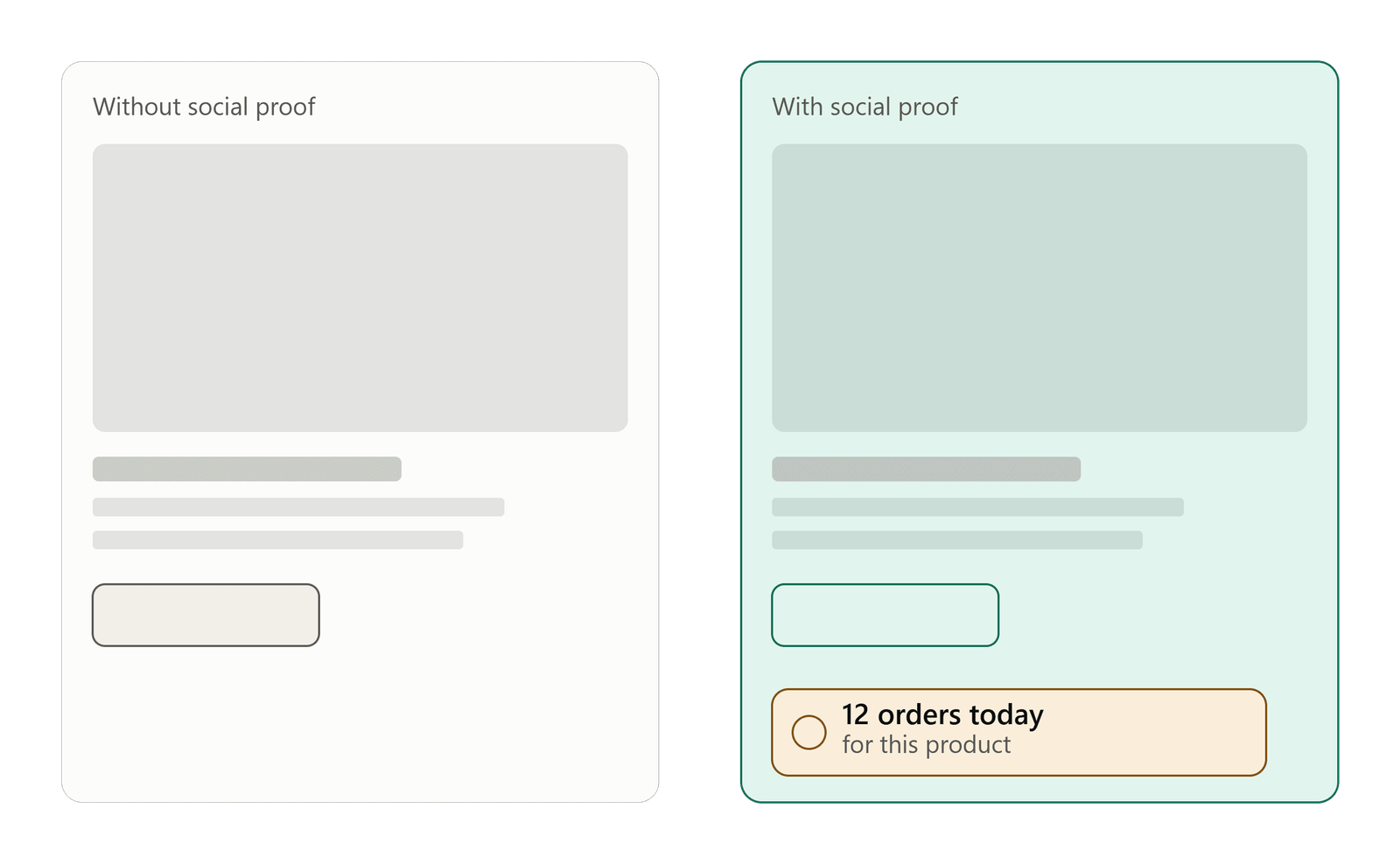
Here’s how the trust gap plays out in practice. Imagine two nearly identical product pages selling the same water bottle at the same price.
Page A shows only a product photo, price, and description. Page B shows the same details, plus a small notification that reads “Sarah in Austin just bought this.” Page B gives hesitant shoppers a real signal: someone else already made this decision and it worked out.
That’s the core idea behind social proof notifications — surfacing real customer activity, like recent purchases, active visitor counts, or collected reviews, so new visitors don’t have to decide alone. A SaaS company might show recent signups on a pricing page. A service business might highlight recent bookings. A course site might display recent registrations. The mechanism is the same: real activity, shown at the right moment, reduces hesitation.
Social Proof vs. Static Reviews
It helps to separate two related but different tools.
| Approach | What It Shows | Best Used For |
|---|---|---|
| Static reviews | Past written feedback, usually on a dedicated page | Deep research before purchase |
| Social proof notifications | Real-time or recent activity, shown across the site | Reducing hesitation at the moment of decision |
Static reviews build long-term credibility. Real-time notifications work at the moment a visitor is deciding whether to click “buy.” Most stores benefit from using both rather than choosing one over the other.
Common Mistakes Stores Make When Trying to Fix This
- Chasing more traffic before fixing the funnel. More visitors won’t help if the same percentage still leaves without buying.
- Copying a competitor’s whole page. What builds trust for one brand may not fit another; the underlying signal (real proof) matters more than the exact layout.
- Displaying fake or exaggerated activity. Manufactured “sales” notifications or inflated visitor counts erode trust the moment a shopper notices — and many do. Any social proof shown to visitors should reflect real customer activity.
- Testing everything at once. Changing the homepage, checkout, and pricing in the same week makes it impossible to know what actually helped.
- Ignoring mobile shoppers. Most Shopify traffic is mobile. A desktop-only fix leaves the bigger problem untouched.
How to Implement These Fixes Step by Step
- Pull your funnel data from Shopify Analytics: traffic, add-to-cart rate, checkout starts, completed orders.
- Find the biggest single drop-off and treat it as priority one.
- Fix the mechanical issues first — speed, mobile layout, checkout fields.
- Add trust signals where hesitation is highest, usually product and cart pages.
- Test one change at a time and compare conversion rate before and after.
- Repeat for the next-biggest drop-off point.
This order matters. Trust signals won’t fix a checkout that’s too slow to load, and a fast checkout won’t help if visitors never trusted the product page enough to reach it.
How Fizfy Can Help With Trust and Social Proof
Once the mechanical issues are handled, trust is usually the next lever worth pulling. Fizfy is a social proof notification software built to show real visitor and customer activity on a website, including recent purchases, active visitor counts, sales activity, and collected reviews.
The platform includes more than 43 notification and widget types, so a Shopify store can choose the formats that fit its layout — from a simple recent-sale popup to a feedback collector that gathers testimonials directly from shoppers. Fizfy connects to a store through a pixel code integration, and Shopify merchants can add it through the Shopify setup guide without writing custom code. The same approach works for WooCommerce and WordPress sites.
Fizfy also supports feedback collection notifications, so stores can gather real customer input instead of relying only on outside review platforms. This matters because responsible social proof depends on showing activity that actually happened — not manufactured numbers. Used this way, notifications become an honest reflection of real customer behavior rather than a marketing trick.
If checkout friction, speed, or unclear product content is the bigger issue on your store, fix those first. Social proof works best as a trust layer on top of a store that already loads fast and explains itself clearly — not as a replacement for either.
Best Practices for Using Social Proof Responsibly
- Only display activity that actually happened on your store.
- Keep notifications relevant to the page a visitor is viewing.
- Avoid overloading a page with too many popups at once; a cluttered page can hurt trust as much as help it.
- Pair notifications with genuine reviews and clear policies, not as a substitute for them.
- Review notification performance periodically and remove formats that aren’t adding value.
Frequently Asked Questions
Why does my Shopify store get traffic but no sales? Traffic without sales usually points to one of five issues: slow load times, unclear product pages, low trust for new visitors, checkout friction, or traffic that doesn’t match your offer. Checking funnel data by page and traffic source usually reveals which one applies.
What is social proof software? Social proof software displays real visitor or customer activity on a website — such as recent purchases, active visitor counts, or reviews — to help new visitors feel more confident about taking action.
Do social proof notifications increase conversions? They can support conversions by reducing hesitation at the decision point, but results depend on the store’s overall experience. Notifications work best alongside fast pages, clear product content, and a straightforward checkout, not as a standalone fix.
What’s the difference between social proof and testimonials? Testimonials are written or recorded feedback, usually displayed on a dedicated page. Social proof notifications show real-time or recent activity across the site, giving visitors a signal at the exact moment they’re deciding whether to act.
How can Shopify stores add social proof notifications? Most social proof tools, including Fizfy, connect through a pixel code added to the site or a Shopify app installation, with no custom development required. Setup typically takes a few minutes once an account and campaign are created.
Is social proof effective for stores beyond ecommerce? Yes. SaaS companies often show recent signups, service businesses show recent bookings, and course platforms show recent registrations. The underlying idea — showing real activity to build confidence — applies anywhere visitors need reassurance before acting.
Next Step
If your funnel data points to a trust gap rather than a traffic problem, it may be worth testing a few notification formats on your highest-traffic product pages. You can explore Fizfy’s notification widgets or read the Shopify integration guide to see what fits your store.